API Keys Widget
A widget for displaying and managing API keys.
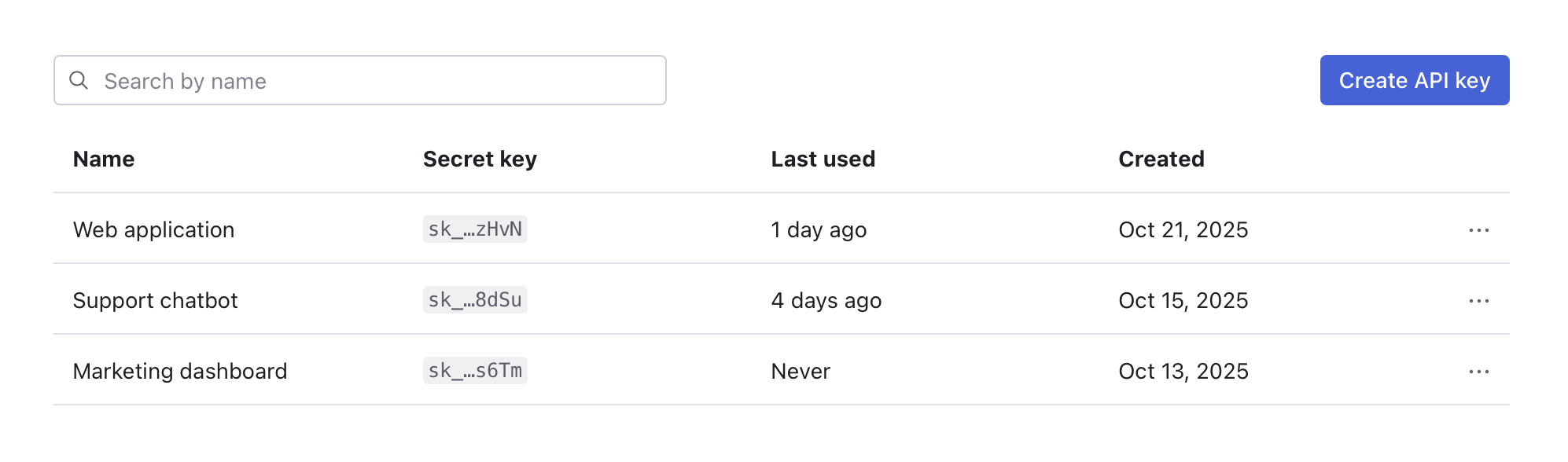
The <ApiKeys /> widget allows users to create, view, and revoke API keys, all within the widget. It supports two scopes via the scope prop:
"organization"(the default): manage API keys owned by the organization."user": manage API keys owned by individual users.
The default scope="organization" mode allows admins to manage API keys in an organization. Admins can create API keys with specific permissions, view details of existing API keys, and revoke API keys.
In order to use the widget with scope="organization", a user must have a role that has the widgets:api-keys:manage permission.
JavaScript
Setting scope="user" puts the widget into user API key management. In order to use the widget with scope="user", a user must have a role that has at least one of the following permissions:
widgets:user-api-keys:manage-self: the user can create, view, and revoke their own API keys.widgets:user-api-keys:manage-all: includes everythingmanage-selfgrants, plus the ability to view and revoke API keys owned by any other user in the organization.
JavaScript